When Comfort Fails: Hidden Problems That Disrupt Clinics Every Day
Common Midmark 647 Procedure Chair Issues and Troubleshooting Tips
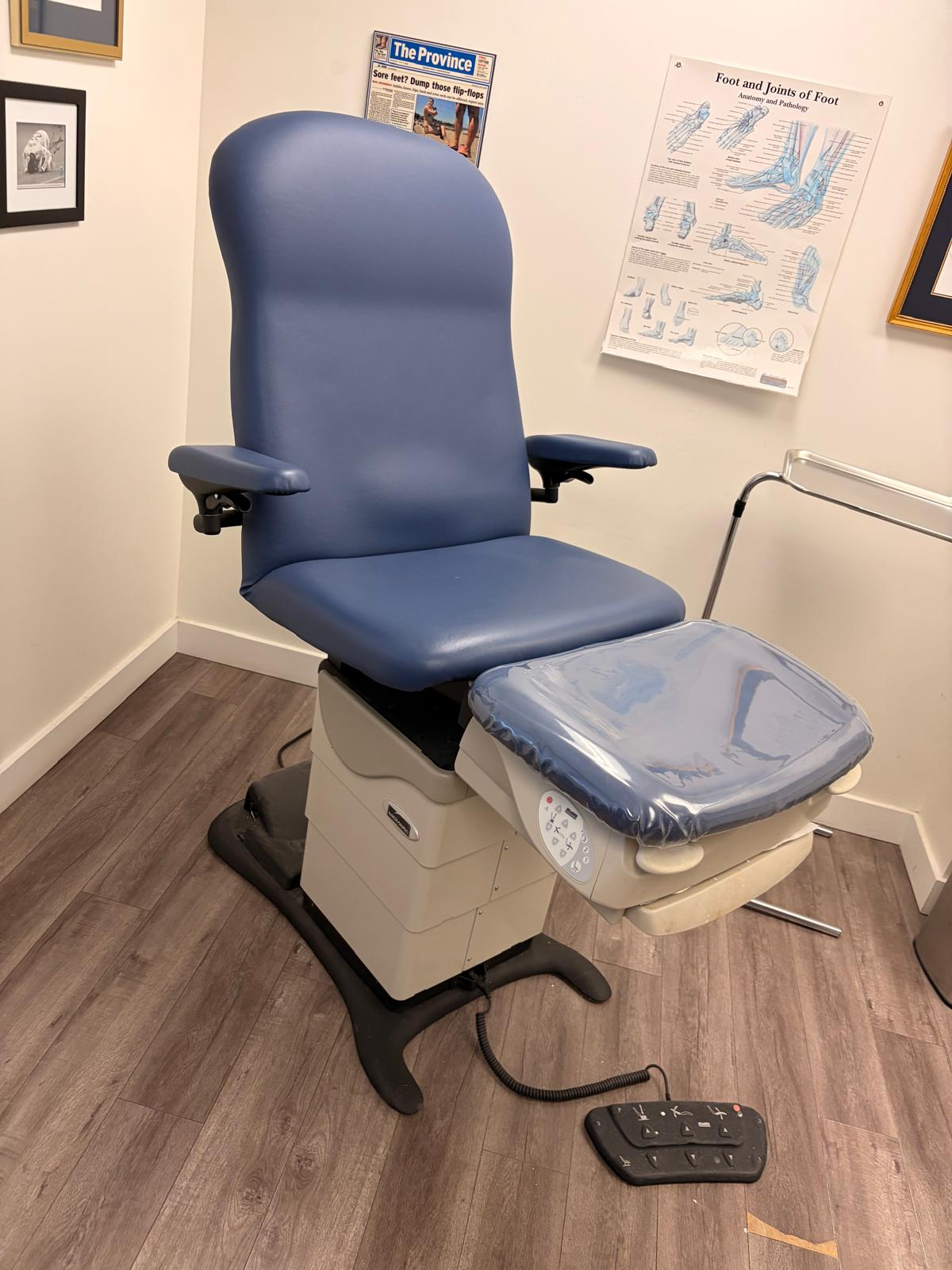
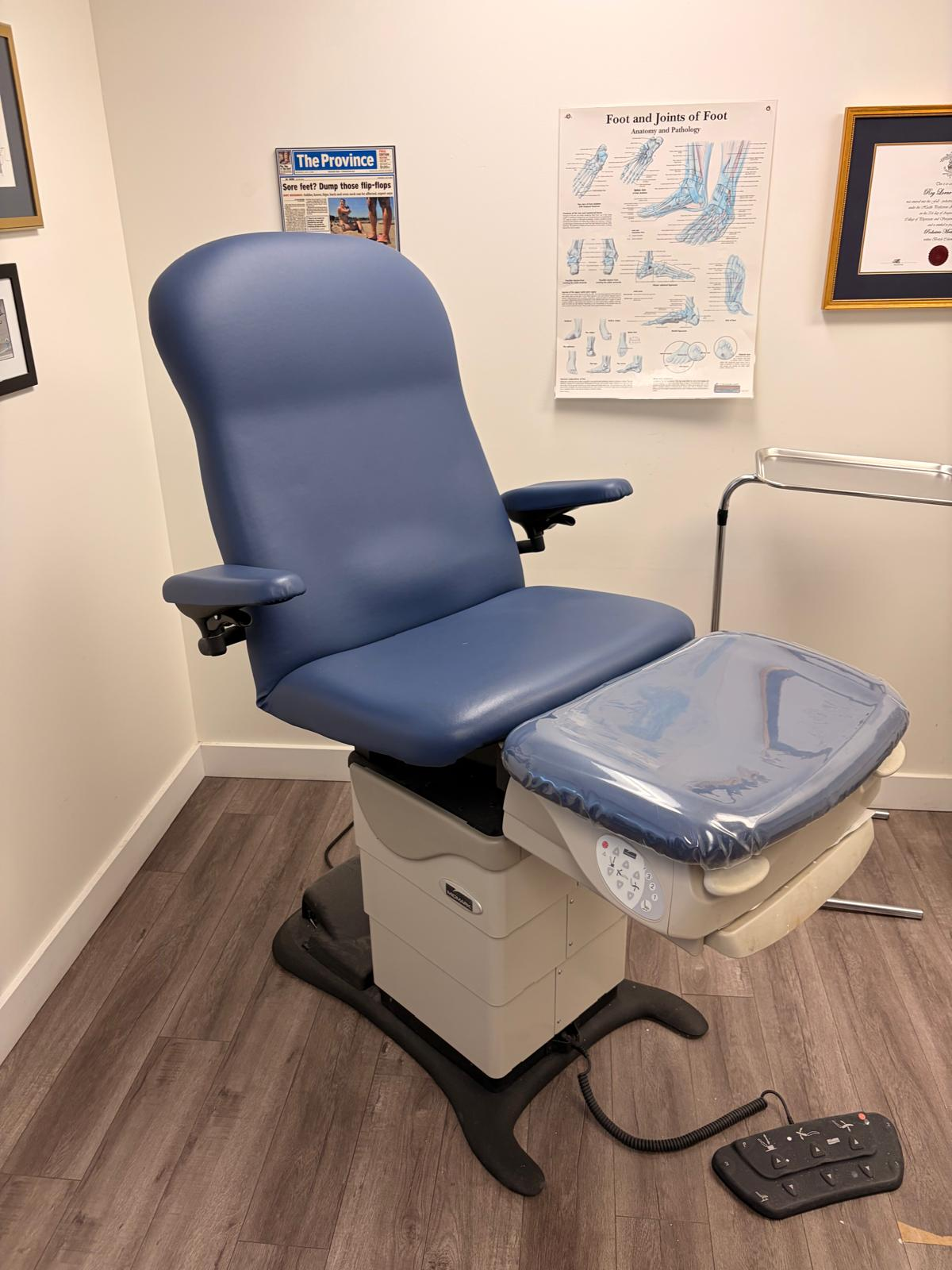
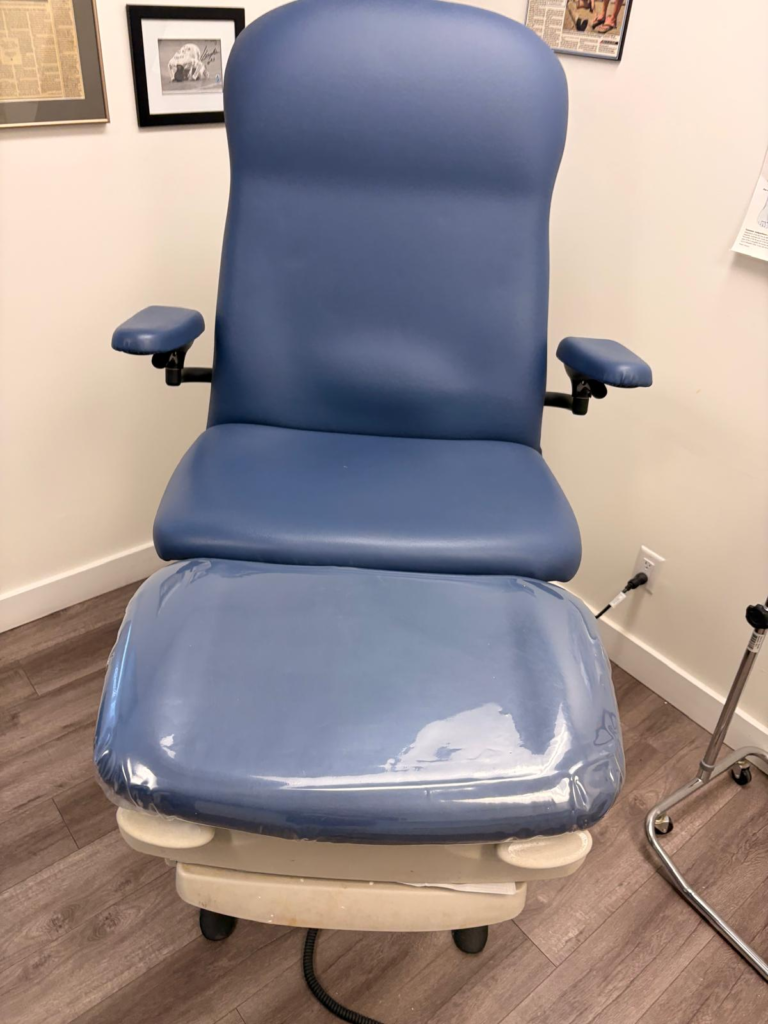
The Midmark 647/646 podiatry/procedure chair is a popular, heavy duty chair used in many clinics. Like any advanced equipment, it can develop issues over time. Clinic managers and BioDen’s technicians in Vancouver often encounter Midmark 647 procedure chair issues that can interrupt patient care. In this post we’ll walk through the most common symptoms and what causes them, drawing on real world service experience (informed by Midmark’s service manual) to guide troubleshooting and repair. We’ll also explain how BioDen in Vancouver can help keep your 647/646 chairs running reliably.
Midmark 647 procedure chair issues can affect any of the chair’s movements (base, back, tilt, foot extension) and often stem from mechanical wear, electrical faults, or safety systems. In our experience, the primary Midmark 647 procedure chair issues include failing actuators or couplers, faulty limit switches, crash avoidance lockouts triggered by the foot extension, motor or control board calibration faults, and problems with the position memory programming. Clinic staff may notice the chair beeping, drifting under load, or refusing certain motions all signs that something is wrong internally. We’ll cover each of these in detail below. When procedure chairs start failing, clinics often need fast and reliable Dental Equipment Repair in Vancouver to avoid downtime and disruption to patient care.
Actuator and Movement Mechanism Problems
One of the most frequent issues we see with the Midmark 647 is actuator failures the electric motors and linkages that power the chair’s movements. Over years of service the actuators (for base, back, and tilt ) or their coupling to the frame can wear out or loosen. For example, if the base of the chair begins to drift downward slowly (even with no one sitting), it often means the motor coupler or gas springs are failing. In that case, removing weight from the table and seeing it drift is a classic sign replacing the motor coupler and gas springs usually fixes it. Similarly, a ‘seat drifts down’ symptom (tilt axis drifting) is often corrected by swapping out the tilt motor coupler.
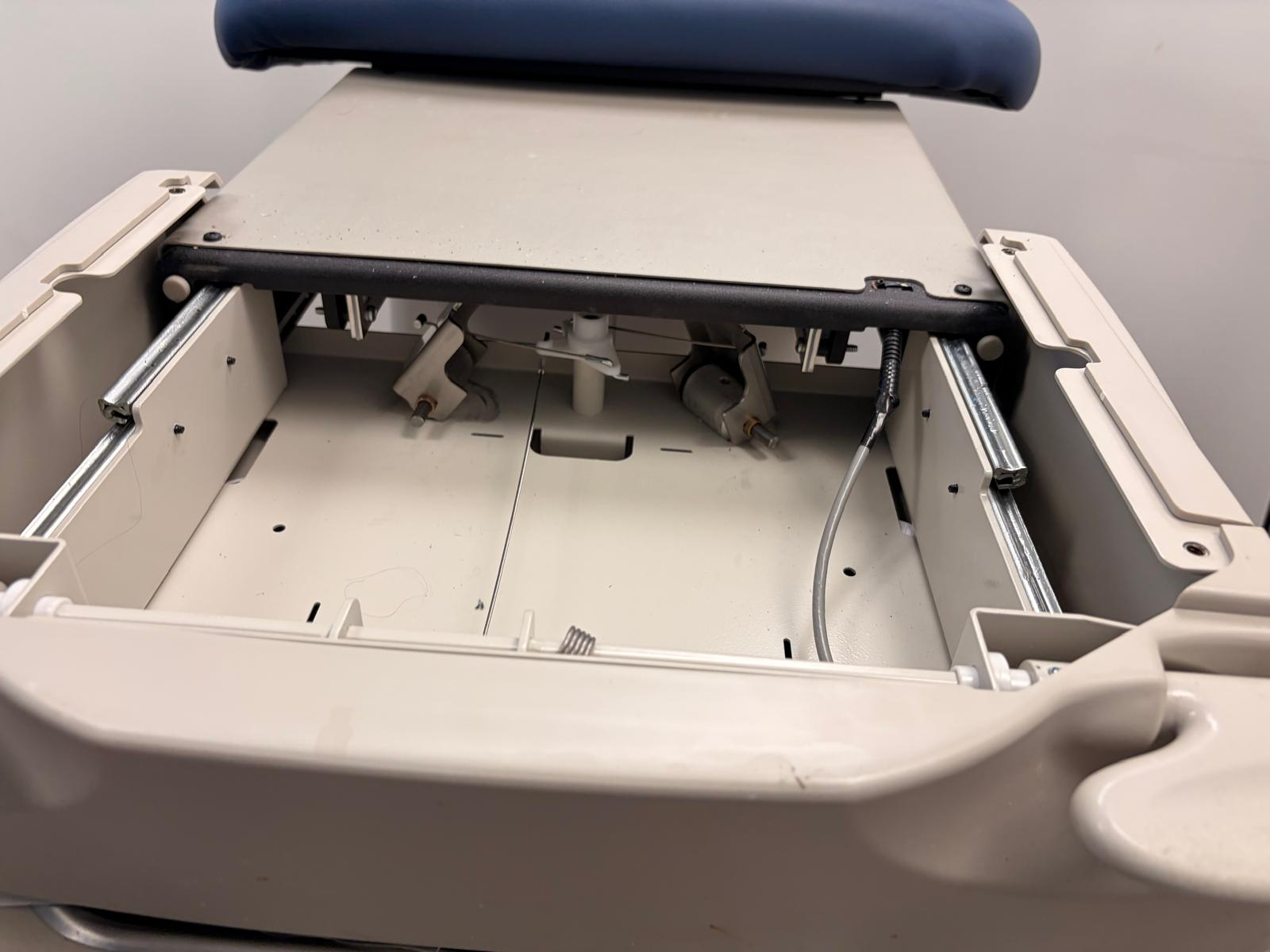
Sometimes the motor itself is bad. For any axis that stalls or refuses to move (e.g. “No Base Up/Down” or “No Back Up/Down”) , our first step is to test the actuator motor directly. We follow a systematic actuator test (as outlined in the service manual) to see if the motor runs when power is applied. If the motor hums but gear noise is heard, it may be grinding indicating worn gears. In such cases, replacing the actuator assembly often resolves the problem. We try each actuator individually to isolate which axis is at fault. Because the Midmark 647’s base and tilt actuators also rely on gas spring support, we also inspect those: dry or failing gas springs can add load on the actuator. A squeaking or grinding noise during movement frequently comes from the pivots or gas springs rather than the motor itself. We always clean and lightly lubricate the pivot joints of gas springs (if applicable), and wipe the guide bars with a dry cloth but never apply oil to the scissor mechanism or guide bars. In other words, avoid grease on linear guides, which the service manual specifically warns against.Gas spring / mechanical noise: If the base or back is noisy (grinding or squeaking) but still moves, the fix is often cleaning. We lubricate the gas spring pivot joints and wipe down the scissor bar guides with a clean cloth. As the manual says, never lubricate the guide bars or scissor mechanism adding oil there can attract dirt and cause binding. After cleaning, if noise persists, the actuator itself may need replacement, which BioDen can handle.
Limit Switch Malfunctions
Each movement axis on the 647 has limit switches (sensors) for up and down positions. Faulty limit switches are a common cause of one direction failures. For instance, if “No Back Up, but Back Down works” (or vice versa), one of the back limit switches may be bad. We inspect the wiring and connectors to the switch and use a multimeter or dedicated test mode to verify operation. If a switch has failed, the service manual advises replacing the entire switch/bracket assembly. In practice, we carry spare limit switch units for quick swaps.
Similarly, a tilt switch failure will show as “No Tilt Up” or “No Tilt Down.” (If tilt won’t go up at all, it could also be a bad tilt position sensor instead of just a switch.) When we see “No Tilt Down but Tilt Up works,” it almost always means the Tilt Down limit switch isn’t closing. We check the wiring first, then test/replace the tilt down switch as needed. Conversely, no tilt up motion can point to a tilt position sensor problem. In that scenario, we verify the tilt sensor wiring and measure the sensor output. A bad tilt sensor will prevent the chair from knowing its position. By swapping in a known good sensor or recalibrating after repairs, movement is usually restored.
One useful tip during Midmark 647 chair troubleshooting is to always check the foot control/touch pads first. If no motions work at all, first try switching to a different footswitch or using the touchpad interface. Sometimes the issue is simply a footswitch or cable fault. For example, the Midmark troubleshooting chart advises : “Try activating functions from each touch pad/foot control”. We often advise staff to try both foot pedals or clean the touchpad contacts before assuming the chair is at fault. Only after verifying the controls and power are fine do we dig into the chair’s internal electronics and limit switches.
Crash Avoidance and Safety Lockouts
The 647 chair includes a Crash Avoidance System to protect patients. The foot section has an extension (“stirrup”) with its own limit switch: if the foot extension is triggered (for example, if it hits a patient’s foot), the system locks out certain functions (typically Base Down or Tilt Down) to prevent crushing. In practice, we often see staff puzzled that the Base won’t go down, when in fact the foot extension switch is tripped . To fix this, first clear the foot area. As the manual advises for a “No Base Down” symptom, remove any obstruction under the foot section and then test the Crash (foot extension) limit switch. In the field, this often means the stirrup was knocked out or left extended; reseating it or restarting the chair clears the crash lockout. BioDen techs have a simple mantra: check the foot extension. That alone clears many “ghost” lockouts.
If the chair is still locked out after clearing obstructions, we proceed to test the Crash Limit Switch circuit. The service manual has a specific “Crash” limit test in Section B, which we follow if needed. Keep in mind that multiple symptoms (Base not moving, Back not moving, etc.) could indicate a crash condition. O n the troubleshooting chart, if multiple motions “beep” and fail simultaneously, it almost always means the crash avoidance safety are active. The solution is to reset and ensure no obstructions. Once reset, the chair will allow full range again but if crash switch hardware is faulty, we would replace the switch at BioDen.
In short, crash avoidance lockouts are one of the most confusing Midmark 647 procedure chair issues for users (the chair just beeps and won’t go down). The cure is usually straightforward: make sure nothing is blocking the foot extension switch. If necessary, our technicians will replace the foot extension microswitch or adjust it so it doesn’t falsely trip. Once the crash avoidance system is satisfied, the chair behaves normally.
Motor/Controller Calibration and Electronics Faults
The Midmark 647 relies on a main PC board and position sensors to coordinate motion. Sometimes electronics or calibration issues will arise. A common scenario: after a repair (or sensor replacement), one or more axes behave erratically or immediately stop. This is often because the PC board needs calibration. Midmark requires recalibration of the controller anytime a position sensor is replaced or disconnected. In practice, if a chair still isn’t working after replacing a sensor or board, we run the PC board calibration routine (basically zeroing the sensors and limits). After calibrating, those functions usually restore.
Another indicator of an electronics fault is if the table briefly moves then beeps and stops. The service guide says this symptom means “Main PC board needs to be calibrated”. Our techs have observed exactly that: a tilt or back will start moving, hit an apparent limit, then lock out because the board thinks it’s beyond an endstop. Calibration resets those limits. We also check for voltage drops if the supply to the table is marginal (below 115VAC), the lift could stall. Low voltage can make an axis move slowly or not at all.
Sometimes the main board itself throws error codes via LEDs (e.g. flashing lights). These codes often point to a sensor or actuator fault. In troubleshooting, we read the manual’s error code chart. For example, if the chair won’t hold a programmed position, reprogramming might fix it, or the board may need calibration. Our process: always reset and recalibrate electronics whenever a repair was done.
Finally, don’t overlook the fuses and transformer. A blown main fuse will kill all functions (no power light). Midmark’s tech sheet reminds us to check the facility power and fuses first if nothing works. We usually start at the electrical inlet: confirm the power cable is secure, outlet is live, and the main fuses (on transformer) are intact. It’s simple but essential nearly every “no power” service call has a quick fix in the electrical supply, either at the outlet or the table’s primary fuse
Craft a captivating title for this section to attract your audience.
The Midmark 647 has a position memory feature allowing the user to save common positions. Sometimes clinics encounter programming failures: pressing a memory button does nothing or moves the chair to the wrong angle. In the field we call this a “position programming failure.” One cause is simply that the positions were not recorded properly (user error), so reprogramming fixes it. But if reprogramming still fails, it often indicates an underlying error. For example, if the chair beeps and won’t go to a saved position, the electronics may not have accurate sensor feedback.
The service manual notes that if “Positions cannot be programmed… table does not move or moves to wrong position,” the remedy is often to reprogram or calibrate. In practice, we verify that each axis works manually (up/down moves correctly) before testing the memory. If an axis is failing or its sensor is mis calibrated, the memory feature will break. So, position problems usually resolve once we fix the basic motion issue and then go through the memory programming sequence again. Also, if the main PC board was replaced, it must be calibrated as mentioned otherwise memory and motion errors will persist.
Another related fault is when the entire control panel seems dead or displays an error LED. This usually means the main board detected a sensor or footswitch error. In our troubleshooting we check all sensor wires (especially after maintenance), make sure they’re tight, and then use the board’s output voltage test modes if needed. Once any faulty wiring or hardware is fixed, memory and manual controls both work again.
Preventive Maintenance
Routine maintenance can greatly reduce Midmark 647 procedure chair issues. Our recommended preventive checklist includes: clean and inspect all moving joints (wiping off debris from scissor bars, tightening any loose bolts), and wipe down limit switch actuators so they can move freely. Check electrical connections ensure power inlet and transformer wires are tight, and test the foot control on all settings. Cycle the chair through its full range daily (no weight in it), listening for unusual sounds that could signal wear. Our BioDen technicians also advise lubricating pivot points on gas springs and checking adjustment of stops, but NEVER greasing the guide rails. For electrical parts, we visually inspect the PCB and transformers for signs of overheating. Simply keeping the chair clean and well tuned helps avoid many surprises. Local Vancouver clinics often include a BioDen preventive visit in their maintenance plan: we clean, check limit switches, test movements, and can even perform the PC board calibration if needed, all before any failure occurs.
Key Takeaways for Midmark 647/646 Procedure Chair Issues
- Actuator & Coupler Wear: Check and replace motors, couplers or gas springs for drift or no motion.
- Limit Switch Failures: Test and replace faulty switches to restore single-axis motion.
- Crash Switch Lockout: Clear obstructions and reset crash switch to regain full motion.
- Calibrate Electronics: Recalibrate PC board and fix sensor wiring to resolve error beeps.
- Preventive Maintenance: Clean joints, check cables, and schedule regular inspections.
Need Help with Your Midmark 647? BioDen’s Got Your Back.
For ongoing actuator, limit switch, or calibration related faults, professional Dental Chair Repair in Vancouver is usually the safest and most efficient solution. The Midmark 647 is complex don’t risk downtime with guesswork. BioDen’s certified Vancouver based techs specialize in real world Midmark 647 procedure chair issues, from actuator failures to sensor glitches. We carry critical parts like couplers, limit switches, and actuators to get you up and running fast.
If your chair is stalling, beeping, or drifting contact us. We serve clinics across Vancouver and the Lower Mainland with fast, onsite repairs and preventive service. Whether you’re in downtown or beyond, we’re nearby and ready.