Dental Chair Repair Guide for Common Problems and Expert solution
Dental Unit or Chair Repair Guide: Common Problems and Expert Solutions
A dental unit or chair not working in the middle of a busy clinic day is every dentist’s nightmare. Dental units or Chairs are complex systems, and a fault can disrupt your schedule, affect patient comfort, and even pose safety risks. Fortunately, many common issues can be identified and better understood through structured troubleshooting and technical knowledge. This guide is designed to help clinic staff recognize common dental unit and chair issues and understand their possible causes. It is not intended to replace professional diagnosis or repair. Whether you are a clinic operator or a dental technician, understanding when an issue may require further technical assessment will help keep your practice running smoothly. From simple checks, such as inspecting power connections or a tripped fuse, to recognizing when an issue extends beyond routine troubleshooting, this guide covers the most common scenarios encountered in clinical settings. In cases of recurring failures or unresolved performance issues, Professional dental chair repair in Vancouver may be required.
Importance of Regular Preventive Maintenance for Dental Units and Chairs
Preventive maintenance is key to avoiding unexpected breakdowns. Regular preventive maintenance of a dental unit or chair helps ensure all components function correctly and can significantly extend the equipment’s lifespan. Simple routine tasks such as draining condensate from compressors and cleaning suction filters are essential for trouble free operation. For instance, moisture in air lines or clogged vacuum filters can lead to performance issues; draining water build up and cleaning filters keeps the air and suction systems efficient. Many manufacturer provide maintenance schedules in their manuals to guide you on daily, weekly, and monthly upkeep. Adhering to these schedules not only prevents malfunctions but also sustains patient comfort (a well maintained chair moves smoothly and quietly) and maintains proper infection control. In short, consistent maintenance and proper care help reduce unplanned downtime and support a safe, reliable working environment for both patients and staff.
Safety First: Precautions Before Dental Unit or Chair Inspection and Troubleshooting
Before investigating or repairing any dental unit or chair problem, always put safety first. Begin by turning off and unplugging the equipment before you do any inspection or maintenance. Dental chairs and units run on electricity and compressed fluids, so disconnecting power and air/water supplies will prevent accidental shock, leaks, or sudden movements. Make sure the dental unit or chair is fully lowered and stable, and remove any patients or heavy objects from it. It’s wise to don protective gear as well wear gloves, safety goggles, and a mask especially if you’ll be dealing with suction lines or biowaste filters.
Be mindful of the unit’s safety features. Many dental chairs are equipped with emergency stop buttons and safety cut offs. If an emergency stop was pressed or a safety sensor is triggered, the chair or instrument functions may be locked out. Reset any emergency stop and ensure no safety switches are engaged before proceeding . As a rule, never bypass safety systems; instead, identify why a safety device engaged . For example, a chair that stopped moving might have done so to prevent injury (perhaps something was obstructing it). Clear any obstructions and verify it’s safe before reactivating the chair.
Lastly, recognize the limits of what you should attempt yourself. Electrical repairs or complex internal fixes should only be done by qualified technicians. Interfering with electronics or hydraulics without proper training can cause further damage or violate warranty terms. The manufacturer’s manuals often state that using unauthorized personnel for repairs will void the warranty. In summary, take all necessary precautions, perform only tasks within your level of training, and recognize when an issue extends beyond basic troubleshooting. Safety for both clinic staff and patients should always remain the top priority.
Common Dental Unit or Chair Problems and How to Troubleshoot Them
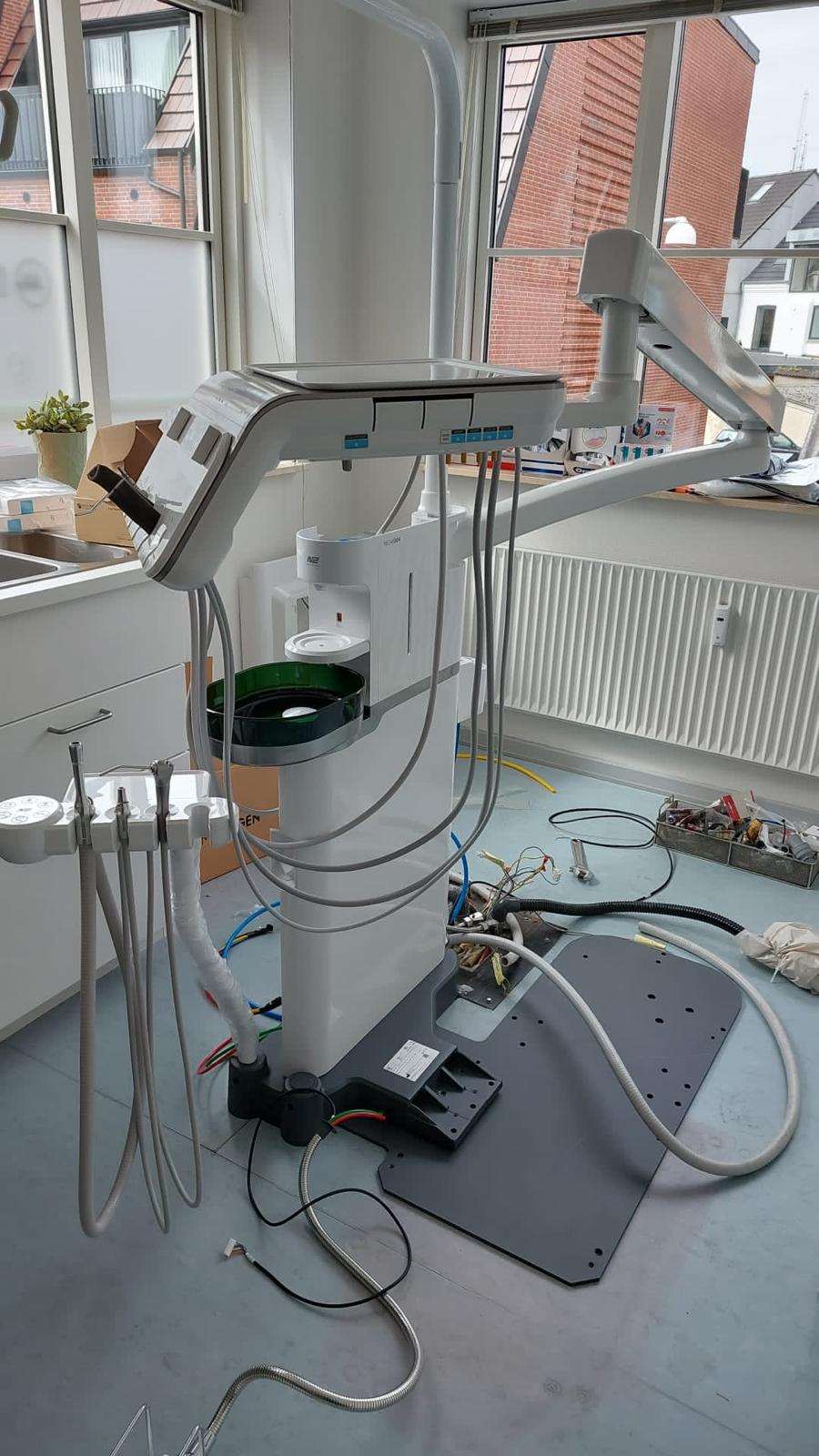
Even with good maintenance, you may occasionally face a hiccup in your dental unit’s operation. Below are several common dental unit and chair problems, along with widely recommended troubleshooting steps used in clinical settings. Always observe the safety guidelines discussed above when performing any of these checks.
The following sections focus on identifying common issues and outlining safe, basic troubleshooting approaches.
Professional Servicing and Preventive Care
While many minor issues can be fixed in house, some situations call for expert help. It’s important to recognize when a problem is beyond a quick troubleshooting fix. Electrical failures, persistent error codes, hydraulic leaks, or uncertainty about a repair often indicate issues that extend beyond basic troubleshooting. In fact, certain manufacturers mandate that specific repairs be done only by authorized service technicians to ensure the unit meets regulatory standards after fixing. Additionally, as mentioned earlier, performing unauthorized technical repairs can void your equipment warranty, so it’s wise not to take apart critical components on your own if you’re not sure what you’re doing.
Preventive professional maintenance is also invaluable. Most dental chair and unit should undergo a thorough check up at least once a year by a certified technician. During scheduled maintenance, technicians typically inspect and calibrate chair motors, test electronic components, replace wear-related parts such as seals and tubing, and verify that all safety systems are functioning correctly. This annual and monthly service helps catch potential issues early before they cause a breakdown and keeps your dental unit or chair compliant with health and safety regulations.
Between scheduled maintenance checks, keep a log of any recurring issues or unusual sounds or behaviors observed in your dental unit. For example, if you notice the chair occasionally hesitates when lifting a heavier patient, or a handpiece loses torque intermittently, note these observations. These details can greatly assist a service technician in diagnosing underlying problems that may not be obvious during a routine check.
Always follow the manufacturer’s guidelines for cleaning and disinfection after any maintenance or repair work. Once a repair or service is done , ensure that any covers are securely back in place, all tools are removed from the mechanism, and the unit is cleaned and disinfected (especially if there was any exposure to internal tubing or fluids). This not only keeps the equipment in tip top shape but also maintains a safe, hygienic environment for your patients.
Conclusion
A well functioning dental unit or chair is the backbone of any dental practice, directly impacting treatment quality and patient experience . By understanding common problems such as a dental chair not working, suction failures, or water flow issues you can address many of them promptly using the troubleshooting tips above. Regular maintenance and timely dental unit service are critical they prevent most problems before they start and ensure that when issues do arise, they can be resolved with minimal disruption. Always prioritize safety by following proper shutdown procedures and using protective measures during any repair. Keep your patients’ comfort in mind by maintaining your equipment so it operates smoothly and reliably.
In summary, invest time in caring for your dental unit just as you care for your patients. When uncertainty arises or a serious malfunction occurs, recognizing when an issue extends beyond basic troubleshooting can help protect equipment warranties and ensure repairs are performed correctly. With the combination of in-house vigilance and professional support, your dental chair and unit will remain dependable partners in your practice, day in and day out. For complete solutions across all equipment types, explore our Dental Equipment Repair in Vancouver page. Safe and happy dentistry!
References: The troubleshooting advice above is informed by official dental unit manuals and industry guidelines, including the Castellini Skema 5 and Puma ELI user manuals, KaVo Primus 1058 S/TM/C instructions for use, and KaVo EXTRAmatic operating instructions. These sources detail maintenance procedures, safety warnings, and error code definitions that support the solutions provided. Always refer to your specific equipment’s documentation for model specific instructions.
Need help with a specific issue?
If you have documented error codes or symptoms that are not covered in this guide, you can reach our team for clarification via WhatsApp.